The fix is usually simple: your phone is missing one requirement, or Android is blocking the install. Start with the basics below, then move through each likely cause until the app opens normally.
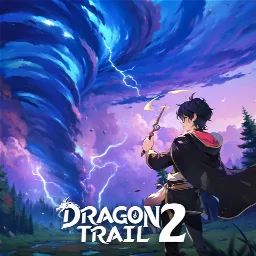
App name: Dragon Trail 2: Fantasy World
Version: 2.0.7.015
APK size: 113.6 MB
Minimum Android: 5.0
Package name: com.slsmus.an.watt
Dragon Trail 2: Fantasy World is listed on APKDown as a Role Playing game from TTHmobi. If your install fails, the issue is usually on the device side, not the app page itself.
1) Your Android version is below 5.0
Symptom: The app refuses to install, or it installs but will not launch.
This app needs Android 5.0 or higher. If your device is older, Android blocks it because the system is too far behind for the app to run safely.
- Open Settings on your phone.
- Check About phone or Software information.
- Look at the Android version.
- If it is below 5.0, use a newer device or update Android if your phone still supports it.
2) The APK does not match your device setup
Symptom: The file downloads, but the install stops right away.
This game is marked universal, which means it is intended to work across common Android device types. If installation still fails, the problem is usually not the CPU architecture itself, but another phone issue such as an old Android version or a damaged file.
- Remove any incomplete install attempt.
- Download the file again from a stable connection.
- Try installing it once more.
- If the error continues, check the Android version and storage first.
3) You do not have enough storage
Symptom: The install starts, then stops, or Android says there is not enough space.
The file is 113.6 MB, but the phone needs extra room to extract and set up the app. Think of it like bringing in a moving box: you need floor space to open it, not just enough space to carry it inside.
- Go to Settings > Storage.
- Delete unused apps, old videos, or large downloads.
- Leave more space than the file size alone would suggest.
- Try the install again after cleaning up.
4) A previous install is causing a signature conflict
Symptom: Android shows App not installed even though the file looks fine.
A signature conflict happens when Android sees an existing app with the same package name, but it was signed differently. A signature is like a digital seal that proves which copy of the app Android trusts.
- Check whether Dragon Trail 2: Fantasy World is already on your phone.
- Uninstall the older copy first.
- Install the new file only after the old one is fully removed.
- If you want to keep your data, make sure the app offers a backup path before uninstalling.
5) The download is corrupted
Symptom: The app will not install, or it crashes immediately after launch.
A corrupted download means part of the file was damaged while downloading. Android then receives a broken package and cannot read it properly.
- Delete the failed APK file.
- Download it again from a stable internet connection.
- Avoid pausing and resuming the download if possible.
- Open the new file only after the download finishes completely.
6) Battery settings are stopping the app
Symptom: The game closes in the background, freezes, or will not stay open for long.
Some phones use aggressive battery saving to shut down apps they think are using too much power. That can interrupt a game launch or stop background services it needs.
- Open Settings > Battery or Battery optimization.
- Set the game to Not optimized, if your phone offers that option.
- Turn off power-saving mode while testing the app.
- Launch the game again and see whether it stays open.
7) Permission settings are blocking normal startup
Symptom: The app opens poorly, has blank screens, or cannot get past the first loading step.
The app list includes permissions such as network access, storage access, notifications, and boot-related access. If Android blocks an important permission or a phone setting disables it, the game may not start correctly.
- Go to Settings > Apps > Dragon Trail 2: Fantasy World.
- Open Permissions and allow anything the app asks for that is clearly needed.
- Make sure network access is not restricted by data saver or battery saver.
- If notifications are turned off by your phone, re-enable them if the app depends on them.
If none of these steps help, delete the file, reboot your device, and try one fresh download. That clears out many small install glitches without changing anything else.
Related downloads
Need the app this guide mentions? Start from its official listing, not a random search result.