
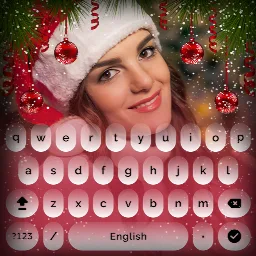
My Photo Keyboard
Screenshots
About this app
My Photo Keyboard version 32.0 includes bug fixes, crash and ANR fixes, and an updated design. This release focuses on stability and a cleaner interface for the APK download experience. The app is a keyboard customization tool for Android. It lets users set a photo as the keyboard background, choose themes, adjust fonts, and use support for more than 50 local languages.
The app listing also shows 10M+ downloads, a 4.4 rating from 15,937 reviews, and Android 6.0 support.
This page lists a verified APK package for direct install. Confirm the package name multimedia.custom.keyboard before installing.
What’s new
Features
- For customization fans: set a gallery or camera photo as the keyboard background.
- For multilingual users: type with support for more than 50 local languages.
- For frequent texters: use themes, font styles, emoji, and typing tools in one keyboard app.
Versions
| Version | Size | Released | |
|---|---|---|---|
| 32.0 | 27.1 MB | Jul 30, 2024 | Get |
FAQ
Is My Photo Keyboard APK safe to install, and how can I verify it?
The package name is multimedia.custom.keyboard and the developer is Multimedia Apps. The app metadata does not include a scan status, so it should be checked with your own device security tools before installing.
How do I install the APK on Android?
Download the APK, enable installation from unknown sources if your device requires it, then open the file to install it. If a previous version is already installed, Android usually updates it by installing over the existing app.
What changed in the latest version 32.0?
The release notes list bug fixes, crash and ANR fixes, and an enhanced new design.
Why does it ask for permissions like camera and internet?
Camera access matches the feature for setting a keyboard background from camera captures, while internet and network access are commonly used for app features and ads. Other permissions should be reviewed after installation based on what you use.