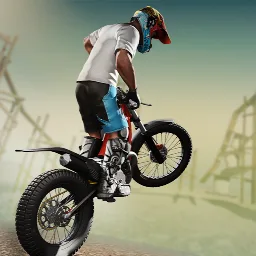
You are on a long commute and want a bike racing game ready before you lose signal. Your phone does not have Google Play access, so you need a direct APK install that works cleanly.
File size: 76.5 MB
Minimum Android: 7.0
Package: com.x3m.tx4
Developer: Deemedya INC
What you need first
Before you start, check three things. They avoid most install failures.
- Android version: The app needs Android 7.0 or higher.
- Free space: The APK file is 76.5 MB, but Android also needs room to unpack the app. Keep extra free storage beyond the download size.
- Architecture: The build on APKDown is for arm64-v8a. Most newer phones use this architecture.
If you are unsure about your device, open Settings and check About phone for Android version and device info. If storage is tight, delete unused videos, old downloads, or apps first.
Get the APK from APKDown
Open the app page on APKDown: Trial Xtreme 4 Bike Racing. Use the file from that page only. APKDown lists the current package details, size, and version so you can verify what you are installing.
On the page, confirm these points before downloading:
- Package name: com.x3m.tx4
- Version: 3.0.7
- Size: 76.5 MB
- Source scan: passed
After the download finishes, keep the APK in your Downloads folder or another place you can find quickly.
Allow installs from one source only
Android blocks APK installs by default. You need to grant permission to the browser or file manager you used for the download. This is a one-source permission, not a global switch.
- Android 8 and later: When you tap the APK, Android usually asks you to allow installs from that app. Turn on Allow from this source for the browser or file manager.
- Android 14 and later: The prompt still appears, but the path may feel stricter. Open the file from the same app that downloaded it, then approve that app’s install permission when asked.
If you later use a different browser or file manager, Android may ask again. That is normal.
Install the game
- 1Open the downloadGo to your Downloads folder and tap the APK file for Trial Xtreme 4 Bike Racing.
- 2Review the installerAndroid shows the app name, package name, and requested permissions. Check that the package is com.x3m.tx4.
- 3Enable the permissionIf prompted, allow this source to install apps. On Android 8+, this is required before the install can continue.
- 4Start installationTap the install button and wait. Large games can take a short moment while Android unpacks the app.
- 5Finish and openWhen the install completes, tap Open to launch the game or Done to close the installer.
If the device asks for confirmation again, accept only if the file is the one you downloaded from APKDown.
First launch and permissions
The first launch may take longer than later starts. That is normal for a fresh game install.
This game requests common Android permissions and services such as INTERNET, ACCESS_NETWORK_STATE, ACCESS_WIFI_STATE, VIBRATE, and WAKE_LOCK. It also uses billing-related and ad-related Android services. Grant only what Android asks for during setup, and keep the app updated if you want the latest bug fixes and improvements.
If the game asks for notification or other system permissions later, review the prompt carefully. You can always change many app permissions later in Android settings.
How to update later
To update, return to the APKDown app page and compare the version number with the one installed on your phone. If APKDown publishes a newer APK, download that file and install it over the current app.
- Keep the package name the same: Updates work best when the package stays com.x3m.tx4.
- Do not uninstall first: On most devices, a matching update replaces the older version automatically.
- Check storage again: Updates also need free space for the new install.
The release notes for version 3.0.7 list bug fixes and improvements, so updating is a good idea when a newer build appears.
Common install errors
| Error | What it usually means | What to do |
|---|---|---|
| App not installed | The download is incomplete, storage is too low, or the device is using the wrong file. | Redownload the APK, free up space, and make sure you are using the file from APKDown. |
| Parsing error | The APK may be corrupted or not fully downloaded. | Delete the file and download it again from the app page. |
| Blocked by Android | The browser or file manager does not have permission to install apps. | Allow installs from that single source, then try again. |
| Compatibility problem | The phone may be below Android 7.0 or not suitable for the arm64-v8a build. | Check your Android version and device architecture before reinstalling. |
If the installer still refuses to start, restart the phone once and try the same APK again from the same source.
Related downloads
Need the app this guide mentions? Start from its official listing, not a random search result.