The standout detail here is the size: 88.9 MB. That matters because it keeps My Brother Rabbit fairly light for an adventure game, so it is easier to fit on phones with tighter storage and quicker to grab before a quick session.
Title: My Brother Rabbit
Developer: Artifex Mundi
Category: Adventure
Size: 88.9 MB
Android requirement: 6.0 and up
Downloads: 500K+
Rating on APKDown: 4.3
1) What My Brother Rabbit is
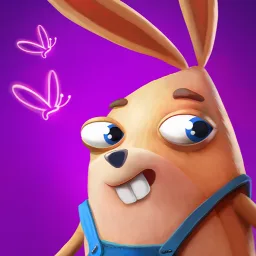
My Brother Rabbit is an adventure game from Artifex Mundi. The description calls it a beautifully drawn journey set in a surreal world that mixes reality with a child’s imagination. The story follows a young girl and her brother as they use imagination to cope with a harsh situation, while a little rabbit tries to help a sick flower friend.
If you like story-driven games with a dreamlike feel, this one leans hard into atmosphere. It is not about reflex-heavy action. It is about observation, puzzle solving, and moving through imaginative places that do not follow normal logic.
2) What you actually do in the game
The description points to a few main activities. You will help the rabbit work through environmental puzzles, play minigames, find hidden objects, and assemble strange machines. That is the core loop, so expect a mix of classic point-and-click-style problem solving and scene exploration.
The game also sends you through five wondrous lands. Those areas feature odd sights like robo-moose, levitating baobabs, giant mushrooms, and melting clocks. In practice, that means each part of the journey is built around discovering clues, trying interactions, and pushing the story forward one solved puzzle at a time.
3) What makes it appealing
For beginners, the biggest draw is probably the tone. The description highlights an emotional story of love and courage, which gives the game more heart than a standard puzzle run. If you enjoy games where the world itself feels like part of the storytelling, this one should land well.
Art and music also matter here. The store text emphasizes fantastic graphics that mix real, surreal, and abstract imagery, plus music by a renowned composer. So if you play with sound on, you may get more out of the atmosphere. On a phone, that kind of presentation can make short sessions feel memorable instead of rushed.
4) What you need before installing
Before you install My Brother Rabbit APK, check the basics first:
- Android 6.0 or higher
- At least 88.9 MB of free storage, with a little extra room left over for normal app data and updates
- A device that can handle the supported x86, x86-64, armeabi-v7a, or arm64-v8a architectures
- An internet connection if you want to download it and, like many Android apps, to support any online services it may use
The listing also shows a passed source scan on APKDown, which is a helpful sign when you are checking a download page. The app version listed is 1.5, and the package name is com.artifexmundi.mybrotherrabbit.gp.freemium.
5) Install and get set up
On Android, the usual flow is simple. Open the app page on APKDown, review the file details, and start the download. After the file is saved, open it from your downloads area and follow the system prompts to install. If your phone blocks installs from unknown sources, you may need to allow that temporarily for your browser or file manager.
Once installation finishes, open the game and let it load fully before tapping around too fast. Story games like this often introduce the setting first, then ease you into the controls. If you are new to touch-based adventure games, that slow start is normal.
6) Your first steps after install
Here is a beginner-friendly way to start:
- Open the game and let any opening scenes play through.
- Tap carefully on the screen to look for interactive objects.
- Pay attention to visual cues, since puzzle games often hide clues in the environment.
- Try items or actions in more than one spot if something does not work at first.
- Use the game’s prompts or hints if you get stuck, instead of forcing random taps.
Pro tip: In a game built around hidden objects and surreal scenes, slow scanning usually beats fast tapping. Take a moment to study each screen before you move on.
7) Where to go next
After you have the basics down, the best next step is to settle into the rhythm of exploration. Focus on the story, learn how the game signals interactive objects, and keep an eye out for puzzle patterns that repeat across scenes. That will make later sections feel less confusing.
If you want the full download details and the current APKDown listing, visit My Brother Rabbit. You can also check the official website at mybrotherrabbit.com if you want more background on the game itself.
Related downloads
Need the app this guide mentions? Start from its official listing, not a random search result.