Why this guide helps
You may be stuck wondering why a laser puzzle game keeps knocking your ball off course, or you may just want to know if LASERBREAK - Physics Puzzle is worth your time before installing it. This article solves that by explaining what the game is, who makes it, what you can do inside it, what to check first, and how to get started without any guesswork.
The game is made by Apex Creative Games and is listed on APKDown as a Puzzle game. It was released on 2023-09-05 and the current version listed is 2.10.
What LASERBREAK - Physics Puzzle is
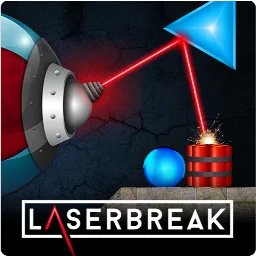
LASERBREAK - Physics Puzzle is a physics puzzle game, which means you solve problems by using the way objects move, bounce, reflect, fall, or explode. Think of it like setting up a chain reaction: one small action can send a laser beam, a ball, or an object in the right direction to reach the target.
The description calls it a challenging and fun experience with 120 levels, and says it is simple to learn but challenging to master. It also includes no ads, 15+ physics objects, HD graphics, and 9 language translation options.
What you can do in the game
The main idea is to use different objects to guide the laser beam to the target. You can try many combinations, and the game encourages you to think before acting. Here are some of the tools and actions mentioned in the description:
- Balls to roll, drop, or catapult so they can hit other objects.
- TNT to ignite and explode things out of the way.
- Portals, also called wormholes, to move objects from one place to another.
- Magnets to guide steel balls or hold steel crates in place.
- Ice to melt and reveal what is hidden underneath.
- Wood to burn open paths for the laser or for rolling objects.
- Glass to reflect the laser, or to smash with other objects.
- Reflective shapes and blocks to bounce the beam at different angles.
- Bonus coins for an extra challenge in some levels.
The levels range from simple to very challenging, so the game can feel calm at first and much trickier later on.
Who it is for / who should skip it
Who it is for:
- Players who enjoy puzzle games that reward trial and error.
- People who like physics-based play, such as bouncing, reflecting, and breaking objects.
- Anyone who wants a game with many levels and no ads.
- Players who do not mind slowing down to plan each move.
Who should skip it:
- People who want fast action instead of careful problem-solving.
- Players who dislike restarting levels while testing ideas.
- Anyone looking for a simple tap-and-win game with very little thinking.
What to check before installing
Before installing LASERBREAK - Physics Puzzle APK, make sure your Android device meets the basic requirements. The listed minimum Android version is 4.0. The app size is 31.2 MB, so you will want enough free space for the download and the install process.
The listed permissions are ACCESS_NETWORK_STATE, INTERNET, VIBRATE, and CHECK_LICENSE. In simple terms, permissions are the access a game asks for to use certain device features or services. For example, vibration can support feedback during play, and internet access may be used for online checks or related functions.
APKDown notes that the file scan has passed. The app is also listed with support for multiple device architectures, including x86, x86-64, armeabi-v7a, and arm64-v8a.
First steps after install and where to go next
After installation, open the game and spend a moment getting familiar with the first level. Start by looking for the target, the laser path, and the objects you can move or trigger. In these games, small changes matter, so it helps to test one idea at a time instead of moving everything at once.
- Open the game and begin with an early level.
- Look for the laser source, the target, and any objects that can redirect or block the beam.
- Try one object first, then watch how the laser or nearby pieces react.
- If the first attempt fails, reset and try a different angle or order of actions.
- Pay attention to reflective shapes, portals, TNT, and balls, since those often create the key path forward.
- When a level works, revisit it later if you want to hunt for bonus coins.
If you want to keep going, the best next step is simply to play a few levels in order and get comfortable with how the objects behave. From there, you can return to the app page on APKDown whenever you want to check the version details, file size, or update notes. The current notes mention bug fixes, which is a sign the app has received maintenance, not a promise that every issue is gone.
Tip: if a level feels impossible, slow down and think like a puzzle builder, not a racer. Most solutions come from one careful move at a time.
Related downloads
Need the app this guide mentions? Start from its official listing, not a random search result.