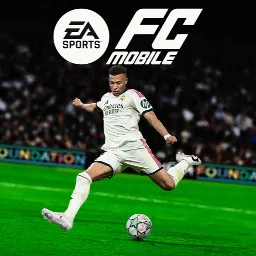
If you are stuck wondering why a football game will not install, or you just want to know what you are getting before you tap download, this guide clears it up. It explains what EA SPORTS FC™ Football Mobile is, what it does, what your Android needs, and what to do first after install.
Size: 2.9 MB
Developer: ELECTRONIC ARTS
Minimum Android: 5.0
Downloads: 500M+
What EA SPORTS FC™ Football Mobile is
EA SPORTS FC™ Football Mobile is a sports game from ELECTRONIC ARTS. It is an online football game for mobile Android devices. On APKDown, you can find the app page here: EA SPORTS FC™ Football Mobile APK.
The game is built around club football, national teams, and squad building. The description says you can play matches, collect players, and form your own Ultimate Team. It also mentions licensed competitions, clubs, leagues, and national teams. That means the game is focused on real football names and match formats, not a made-up world.
The current description also says this update celebrates the 2026/2027 season. The release notes mention new Game Plans, new Playstyles, Gauntlet Mode, updated visuals, new commentary, and new celebrations.
What you can do in the game
The description gives a clear list of things to do. Start with the basics, then choose the modes you enjoy most.
- Play quick matches. Jump into a fast match with a club, a national team, or your Ultimate Team.
- Build a squad. Collect football stars and legendary ICONs to shape your own team.
- Use licensed teams and competitions. Play with clubs, leagues, and national teams from real football.
- Compete in PvP modes. Rank up in modes such as 1v1 H2H and VS Attack, plus Football Manager Mode.
- Join a league. Team up with other players, enter tournaments, and earn rewards.
- Complete training and tasks. Daily Training, Quests, and Achievements help you earn rewards faster.
The description also mentions The World’s Game tournament mode, where you choose a national team and compete for the title. There is a Quick Match with Friends option too, so you can play short matches against people you know.
Who it is for / who should skip it
Who it is for:
- Players who want a football game on Android.
- People who like real clubs, national teams, and player collections.
- Anyone who wants short matches, squad building, and online competition.
Who should skip it:
- Players who want a fully offline game.
- People who do not want optional in-app purchases.
- Anyone whose device cannot meet basic Android app requirements.
What you need before installing
Before you install EA SPORTS FC™ Football Mobile APK, check the practical basics first. The app listing says it needs Android 5.0 or higher. It is a universal build, so it is meant to work across Android devices that meet that requirement.
You also need a stable internet connection. The permissions list includes INTERNET and ACCESS_NETWORK_STATE, which fits the game’s online features. Because the description mentions optional in-game purchases, it is smart to think about that before your first launch.
Keep a little free space ready as well. The listed size is small on paper, but Android installations can still need extra room for app data and updates. If you are low on storage, clear space first so the install does not stop halfway.
One more point: the app page mentions dynamic receiver permission, which is normal for modern Android apps. You do not need to change anything special for that. Just install the app from a trusted source, then open it normally.
Your first steps after install
After installation, keep your first session simple. Do not rush into ranked play before you understand the controls.
- Open the game and let it finish any first-time setup. Wait for any initial loading or data checks to complete.
- Review the prompts on screen. Accept only what you are comfortable with, especially anything about online features or purchases.
- Try a quick match first. This is the fastest way to learn movement, passing, shooting, and defending.
- Pick a team you know. Using a familiar club or national team makes it easier to learn the flow.
- Test one mode at a time. After a few matches, try squad building, training tasks, or PvP.
- Join a league later. Once you understand the basics, league play can add more rewards and teamwork.
If the controls feel fast at first, that is normal. Start with short sessions. Learn how passing, positioning, and timing work before you focus on rankings or collection goals.
For more app details, requirements, and updates, return to the APKDown listing for EA SPORTS FC™ Football Mobile APK. The official website listed by the developer is ea.com/android.
Related downloads
Need the app this guide mentions? Start from its official listing, not a random search result.