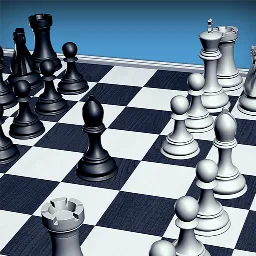
Use the built-in tools in Chess to learn faster, protect your progress, and keep every match easier to manage. The app gives you levels, tips, undo, stats, multiple views, themes, and autosave, so the best approach is to use those features on purpose.
1. Start on a lower level and move up step by step
Chess includes 10 play levels, which makes it easier to build skill without getting overwhelmed. Begin on a casual level, learn the piece movement and basic tactics, then raise the difficulty once you stop making simple mistakes. That progression matters more than trying to win fast.
Use each level as a checkpoint. If your games keep ending early, stay where you are and focus on one habit at a time. The goal is steady improvement, not rushing into Pro mode before your pattern recognition is ready.
2. Use hints, highlights, and undo to learn from every move
The game offers helpful tips and highlights, plus an undo function. That combination is ideal for practice. If you are unsure why a move works, study the suggested line, then compare it with your own choice. If a move exposes your king or loses a piece, undo it and look for the better option.
This is one of the simplest ways to turn a casual game into a learning session. You do not need to memorize openings first. You can just watch the board, test ideas, and correct mistakes before they become habits.
3. Switch between 2D, 3D, and Automatic view for better clarity
Chess lets you use 2D view, 3D view, or Automatic view. That is useful because the best view can change depending on the position and your attention level. 2D is usually clearer for scanning the board. 3D can make the match feel more like a tabletop game. Automatic view gives you a flexible middle ground.
Try different views during the same session. If you miss tactical threats in one view, move to another and see whether the board becomes easier to read. The point is not visual style alone. The point is spotting threats, defending your king, and planning better moves.
4. Track your performance stats and adjust your habits
The app includes detailed performance stats and ratings. Use them as feedback, not as decoration. If your results improve in shorter sessions, keep sessions short. If you struggle when you play too quickly, slow down and think one move ahead before you tap.
Stats are most useful when you pair them with one simple rule. Change only one thing at a time. For example, focus on protecting the king, avoiding rushed captures, or checking for opponent threats before every move. Then watch whether the numbers and outcomes improve.
- Level: Stay on a difficulty that matches your current skill.
- View: Pick the board view that makes threats easiest to spot.
- Moves: Use undo to review mistakes, not to play carelessly.
- Progress: Check stats after a few games, not after every move.
5. Make the app fit your device and routine
Chess is a small app, and it supports Android 6.0 and up. That makes it a practical choice for many devices. Still, general Android habits help. Keep enough storage free so updates and saves have room to work. If your device uses battery optimization, make sure it does not interfere with the game when you want to keep a session open.
The app can automatically save when you get a phone call or exit the application. That is valuable on a phone. You can pause a game without worrying as much about losing progress. Just remember that Android can still close background activity if the system needs resources, so saving and closing cleanly is always the safer habit.
6. Use theme and sound options to keep long sessions comfortable
Chess includes 6 themes for boards, pieces, and backgrounds, plus realistic 3D graphics and sound effects. Use those options to make the board easier on your eyes and more enjoyable to play for longer periods. A cleaner color setup can help when you are studying positions for repeated games.
Sound can also help with awareness, but keep it practical. If you play in a quiet place, lower the volume or rely more on visual cues. If you want a more immersive session, leave sound on. General Android controls are enough here. Notifications, data saver, and other device settings can stay out of the way while you play offline-style sessions, as long as you manage them normally on your phone.
Chess APK is best when you treat it like a training tool, not just a board to tap pieces on. The built-in features do the heavy lifting if you actually use them.
Related downloads
Need the app this guide mentions? Start from its official listing, not a random search result.