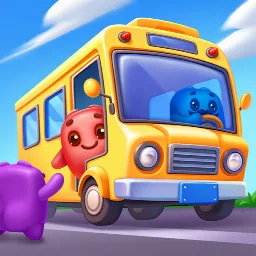
What is Bus Puzzle: Brain Games?
Are you wondering what this game actually asks you to do? It is a puzzle game by AE Mobile Limited where you clear crowded parking lots, move cars, and match passengers to the right vehicles by color.
The idea is simple at first: tap to move cars and make space. After that, the levels start asking you to think ahead, because one wrong move can block the path you need. That is what gives the game its challenge. If you want to see the app page on APKDown, you can find it here: Bus Puzzle: Brain Games.
The app is listed as a puzzle game, was released on 2025-06-26, and the current version shown is 1.3.0. APK means Android Package Kit, which is the file format Android uses to install apps. Sideloading means installing an APK from outside the Google Play Store, like opening a package you downloaded yourself instead of buying it from a shop shelf.
What you can do in the game
The store description points to a few main things you can expect inside the game:
- Move cars with a simple tap. The controls are meant to be easy to learn.
- Match colors. Passengers need to get into cars of the same color.
- Work through many levels. The description says there are hundreds of levels with different parking lot layouts and obstacles.
- Collect cars. You can unlock and collect different vehicles, including sports cars and classic cars.
- Use special props. These can help in tricky situations, but the description also says every level can be completed without them.
- Enjoy the visuals. The game highlights detailed cars, colorful environments, and visual effects.
Think of each stage like a small traffic puzzle. You are not just moving one car out of the way; you are making room for the right passenger to board the right vehicle.
| What the description highlights | What it means for you |
|---|---|
| Easy to learn | You can start playing quickly with simple taps. |
| Color matching | You need to pair passengers and cars by color. |
| Hundreds of levels | There should be plenty of puzzles to work through. |
| Special props | You may use helpers when a level feels tricky. |
What you need before installing
Before you install Bus Puzzle: Brain Games APK, check the basics so the setup goes smoothly. The app listing says it needs Android 5.0 or newer. It is listed at 72.9 MB, so make sure you have enough free storage space on your device.
The app is shown for arm64-v8a, which is a type of processor support for Android devices. Most people do not need to think about that unless they are checking compatibility on a specific phone or tablet.
The listing also shows these permissions: internet access, network and Wi-Fi state, notifications, vibration, wake lock, and billing. A permission is a kind of approval an app asks for so it can use a device feature. For example, internet access lets an app connect online, while notifications let it send alerts. The source scan is marked as passed, which is a helpful sign that the file was checked.
Here is a simple pre-install checklist:
- Use a device running Android 5.0 or later.
- Confirm you have at least 72.9 MB of free space, with a little extra room for updates.
- Make sure you are comfortable granting the app the permissions it asks for.
- Download only from a source you trust.
First steps after install
Once the app is installed, open it and spend a minute getting used to the flow. You do not need a complicated setup. The game is built around simple taps and level-by-level play.
- Launch the game from your Android device.
- Start the first level and look at the parking layout before tapping anything.
- Find the cars that block the path and move them in a way that frees space for the right passenger.
- Watch the passenger colors and the vehicle colors carefully.
- If a level feels crowded, pause for a moment and plan the order of your moves.
- Try a special prop only if you need it; the description says levels can be finished without them.
In the early stages, the best habit is patience. A small wrong move can make a puzzle harder, but most levels are built so you can try again and learn from what happened.
Where to go next
After you finish the first few levels, the next step is simply to keep playing and get comfortable with the pattern of the puzzles. The game promises many different parking lot situations, so the challenge should grow as you move forward.
If you want more background before installing, you can also visit the official website listed for the app at buspuzzle.com. On APKDown, the app page is the place to return to if you want to review the listed version, size, permissions, and release notes again.
The release notes for version 1.3.0 say the update includes bug fixes, game optimization, and improvements for a smoother gaming experience. That is a useful sign if you are comparing versions or checking whether the current build is the one you want.
From here, your best next move is easy: install it if your device meets the requirements, then play a few stages and see how quickly the color matching and parking logic click for you.
Related downloads
Need the app this guide mentions? Start from its official listing, not a random search result.